Pages & blocks
The idea will be familiar from ACF Flexible Content. Add one of seven blocks, move it and save. The picker renders a layout example automatically.
Edit the playgroundThis is our Laravel and Filament demo. Below are the current features and links to try them. The longer technical guide is on a separate page.
The idea will be familiar from ACF Flexible Content. Add one of seven blocks, move it and save. The picker renders a layout example automatically.
Edit the playgroundOpen the sample article and try a background section or small text. Save and compare it with the public view; both use the same content styles.
Edit articlesAdd a language and copy saved content into a draft in that language. Translate the text yourself; versions do not overwrite each other.
Manage languagesImages have previews and alternative text. Internal links reference actual records, so they can follow a changed slug.
Try content fieldsCreate a form, add fields and review submissions. Translate creates a draft in another language; labels and choices are edited independently.
Manage formsDrafts are hidden publicly. Language versions have their own URLs and SEO references. Editing content invalidates its public cache.
Read how it works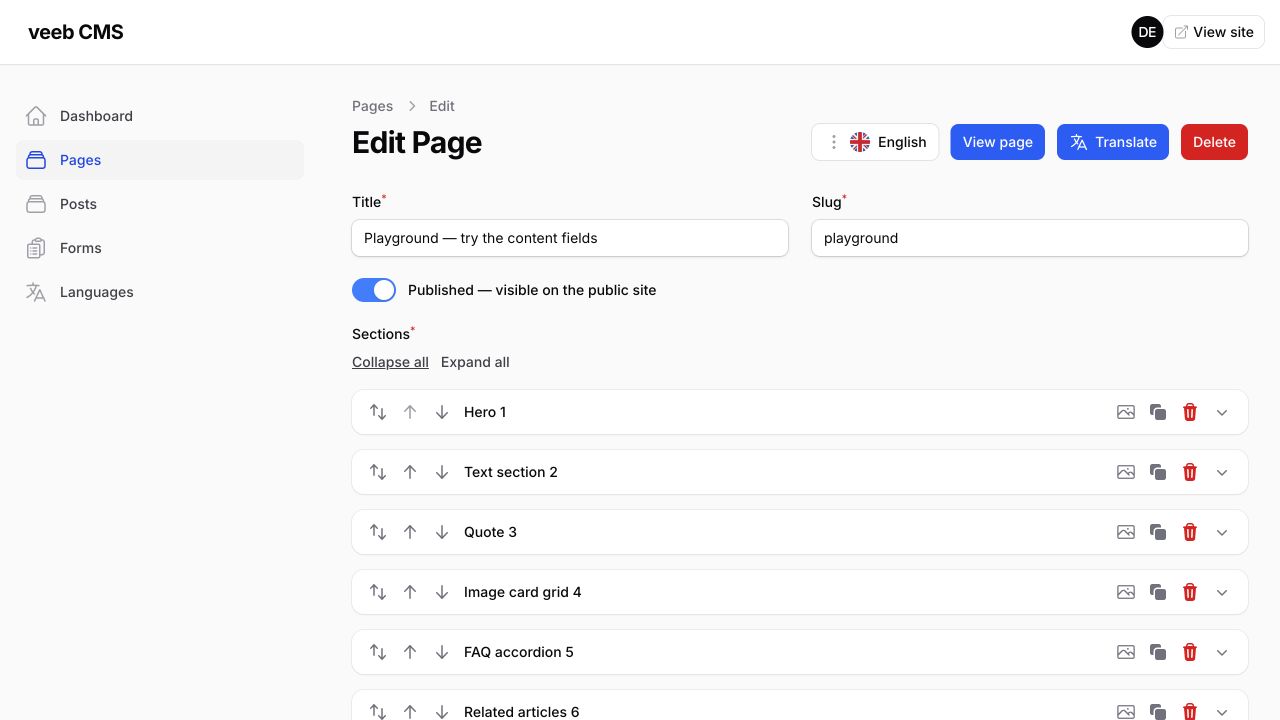
Pages use predefined blocks. Add a hero, text, quote, cards, FAQ, related articles or form, then edit their fields and order.
Try the page editor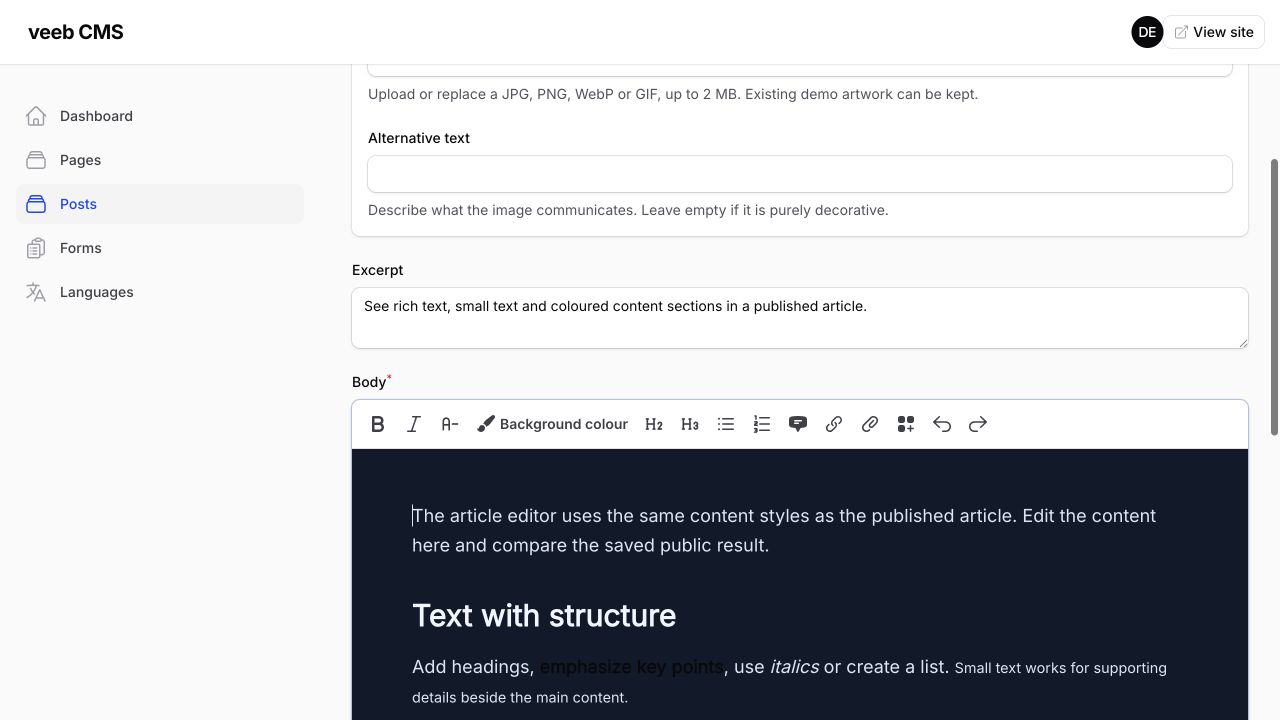
Write the main article content as rich text. The toolbar includes headings, lists, links, small text and a background colour for selected content. The editor uses the article’s actual content styles. One shared stylesheet updates both the editor and the published article.
Try the article editorThe block picker renders each layout using its current template and site styles. Existing blocks also have a preview icon in their header, so you can check the example there.
These are automatically rendered layout samples. To see your own changes, save the page and open View page. The images above are actual screenshots of the page and article editors.
Laravel handles data, requests and server-side logic. Filament provides admin forms, tables and actions. Blade renders the public pages.
Pages, articles, blocks, translations and public forms are our implementation in this project. In WordPress terms, you will recognize content types, ACF-like fields and templates, but their structure is defined in application code.
This is a quote block. You can edit the text, author and additional line in the admin, then move the block between other sections.Block exampleOne of seven page blocks
Models and relationships, database migrations, server-side validation, sessions, authentication, CSRF protection, file storage and caching. Filament adds the admin forms, tables, filters and actions.
Queues for background jobs, scheduled tasks, email and notifications, and HTTP integrations with external services. Each needs actual implementation, service configuration and background processes where appropriate.
The longer developer guide and knowledge check are on a separate page.